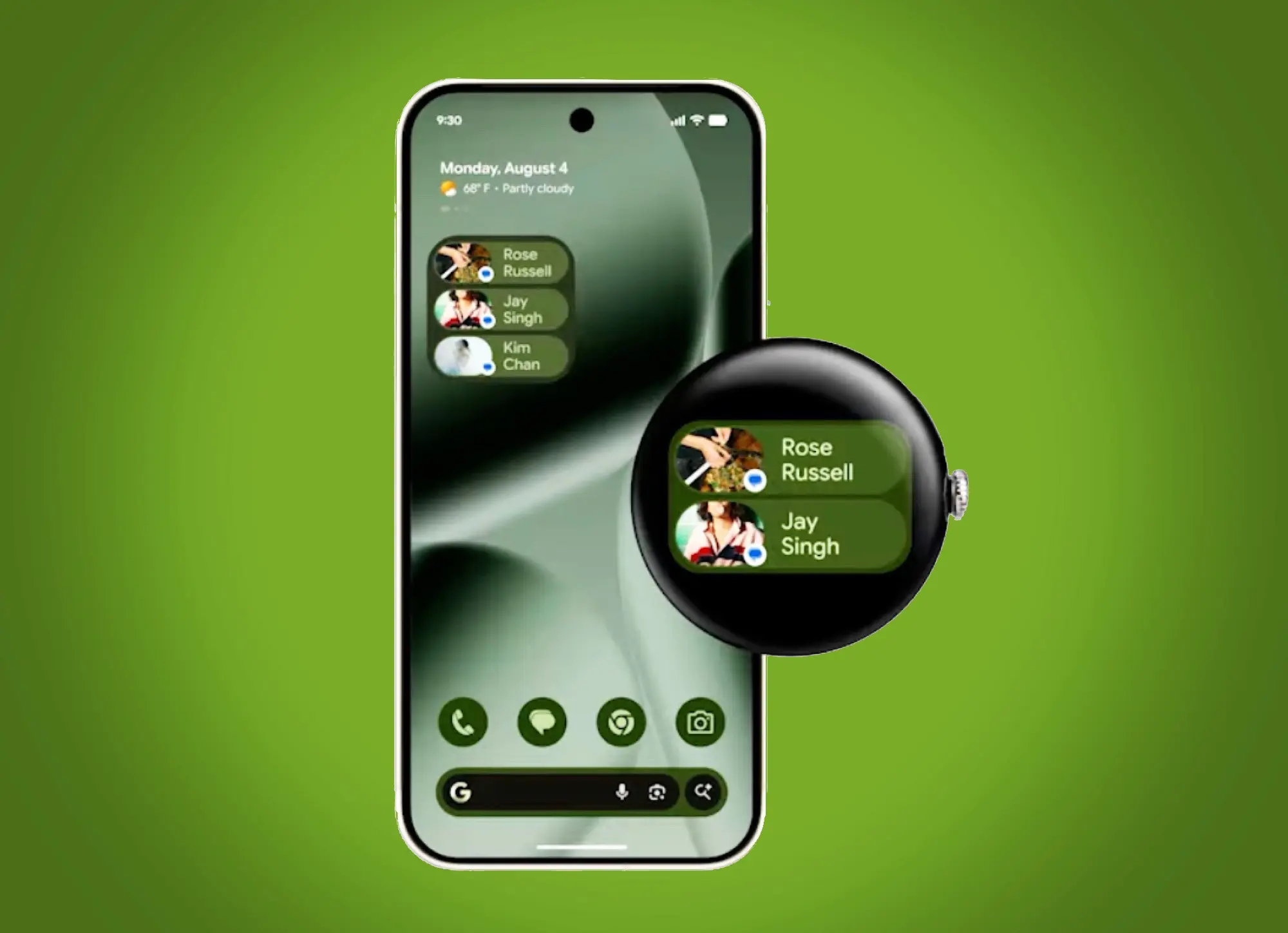
Smartwatch users often face a trade-off between useful features and battery life. Wear OS 7 tackles this by introducing new widgets designed to consume less power while improving functionality. These widgets aim to offer a familiar experience for Android users, making it easier to navigate and interact on devices like the Samsung Galaxy Watch and Google Pixel Watch 4.
- Widgets come in two sizes, 2×1 and 2×2, mirroring Android’s familiar widget formats.
- They replace older Tiles, offering better performance and lower battery consumption.
- Third-party apps like Spotify and WhatsApp already have widgets showing playback info and direct chat access.
- Integration with Samsung Galaxy Watch 8’s widget system means broader compatibility.
Wear OS Widgets Mirror Android for Consistency
The new widgets in Wear OS 7 adopt the 2×1 and 2×2 sizes common in Android phones. This approach helps users transition smoothly between their phone and smartwatch without relearning controls. It also streamlines development, encouraging more apps to support widgets by reducing the effort needed to adapt them.
Battery Life Benefits from More Efficient Widgets
One of the key selling points for Wear OS 7 is improved battery efficiency, partly thanks to these new widgets. Unlike the previous full-screen Tiles, widgets consume less power by being smaller and more integrated. This means you can keep essential information and controls at a glance without sacrificing hours of battery life.
Practical Use Cases from Popular Apps
Google has showcased widgets from Spotify and WhatsApp to highlight real-world benefits. The Spotify widget lets you control music and see album art directly from your wrist, while the WhatsApp widget displays six contacts’ pictures for quick message access. Such features are particularly useful for users who rely on constant communication and media control during daily activities.
Availability and Compatibility Considerations
Wear OS 7 widgets are not limited to Google’s own devices. Samsung Galaxy Watch 8 supports them, bridging the ecosystem gap between Samsung’s Tizen-based watches and Wear OS. However, some AI features and power optimizations will arrive only on future smartwatch models, so current devices may see limited improvements.
The trade-off is that while widgets improve usability and battery life, they may not fully replace all the functionality of older Tiles immediately. Buyers should consider if their favorite apps already support the new widget format before upgrading.
Which Users Will Benefit Most?
Consider Wear OS 7 if you want better battery life and a more consistent Android-like experience on your smartwatch. It makes more sense for users who value quick access to key app functions, especially with apps like Spotify and WhatsApp. Skip it if you rely heavily on apps that haven’t yet adopted the new widget format or if your current watch meets your needs adequately.
(Via)