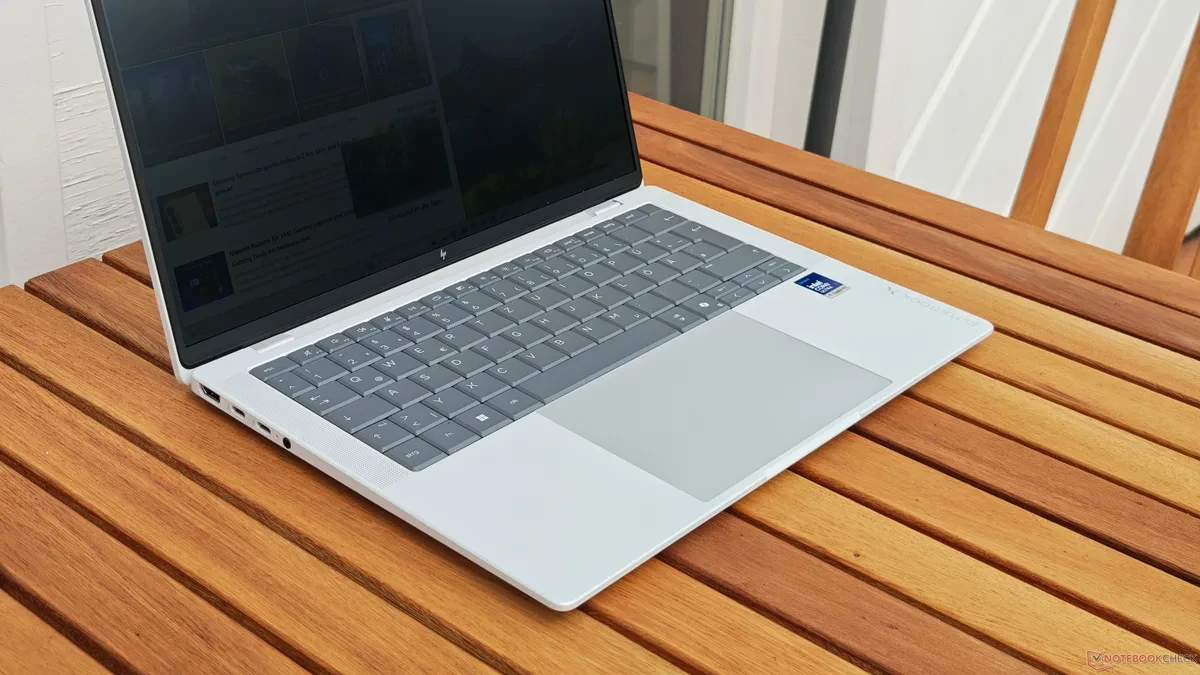
When configuring a high-end business laptop, the sheer number of display options can feel overwhelming. Manufacturers like HP often provide a dizzying array of panels, ranging from standard IPS displays to vibrant OLEDs and specialized privacy-focused screens. While privacy filters like HP's SureView are marketed as essential tools for professionals working in public transit or coffee shops, they often introduce significant compromises to your daily visual experience.
Taking the HP EliteBook 14-inch series as a case study, these laptops are frequently offered with an 'ePrivacy' screen option. While the promise of preventing prying eyes from reading sensitive data sounds ideal, the reality is that these panels often sacrifice color accuracy and viewing angles, even when the privacy mode is toggled off. If your workflow does not strictly require shielding your screen from side-angle observers, opting for this feature could lead to a frustrating experience that lingers long after your purchase.
The Hidden Cost of Privacy Filters
The primary issue with integrated privacy screens lies in their physical construction. To limit viewing angles, the panel utilizes a specific light-manipulation layer that inherently restricts how light exits the screen. Consequently, the display often suffers from poor viewing angle stability. Unlike modern IPS panels that maintain clarity and brightness regardless of your seating position, ePrivacy screens tend to show rapid brightness degradation the moment you shift your head away from the center.
While these screens avoid the dramatic color inversion associated with older TN panels, the uneven brightness creates a distracting visual experience. Users often find themselves constantly adjusting their posture to keep the edges of the screen from appearing shadowed or dim. For creative work, spreadsheet management, or even simple text editing, this lack of uniformity can lead to eye strain and reduced productivity, undermining the very professional utility these laptops are designed to provide.
Choosing the Right Display for Your Workflow
If you find yourself in a position to customize your laptop, prioritize display technologies that offer long-term comfort and visual fidelity. OLED panels, for instance, provide superior contrast ratios, deep blacks, and excellent color reproduction without the narrow viewing angles found in privacy-filtered displays. If you require a high-brightness screen for outdoor work, look for standard high-nit IPS panels rather than those equipped with privacy layers.
Privacy is undoubtedly a valid concern for those handling sensitive corporate data in public spaces. However, if you primarily work from a home office or a private desk, the trade-off is rarely worth the investment. Before clicking the order button, verify if the specific configuration includes an ePrivacy screen. Unless you frequently work on airplanes or in crowded terminal lounges, you will likely be much happier with a standard, high-quality display that prioritizes consistent brightness and color accuracy over restricted viewing angles.