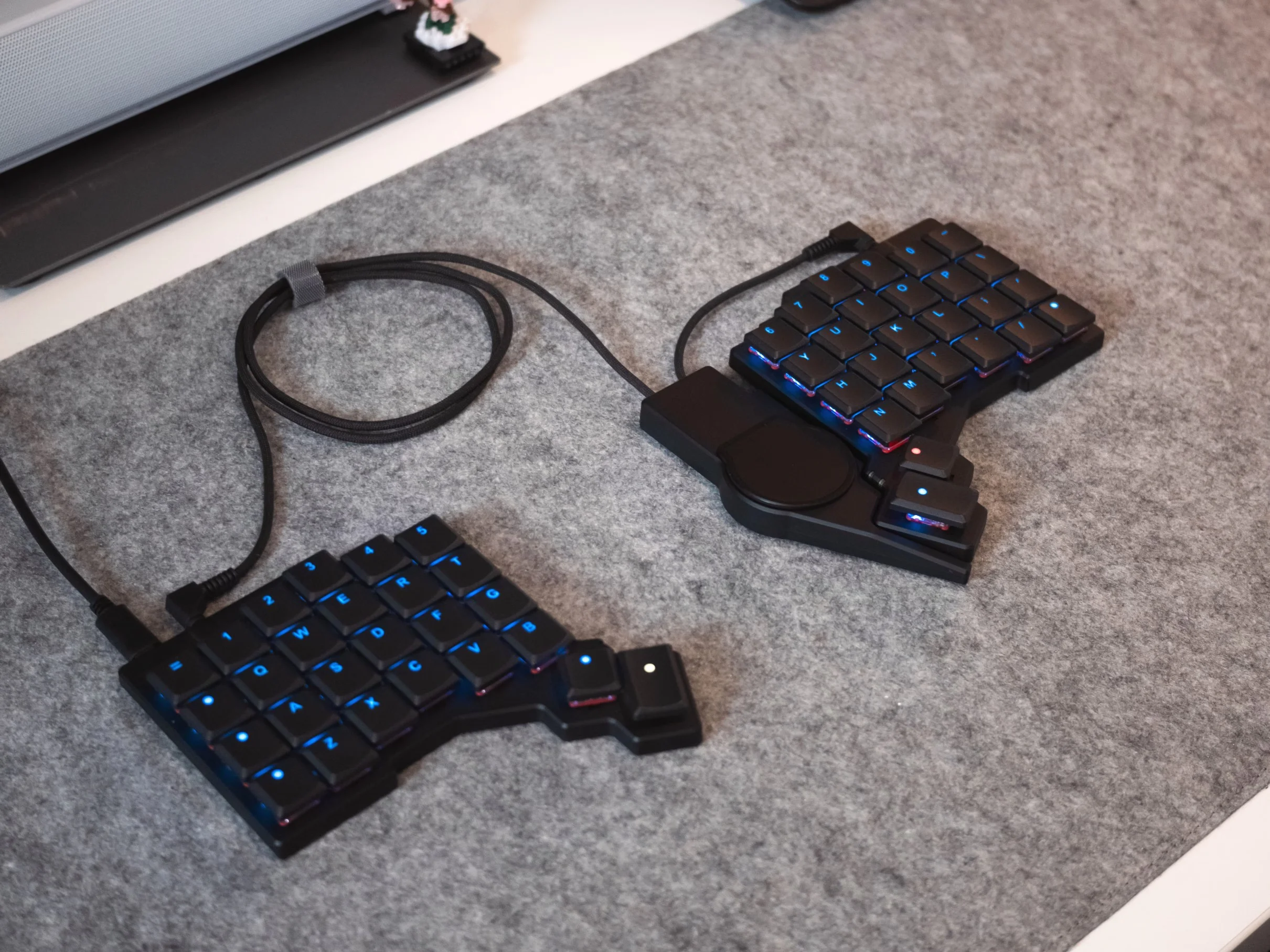
The ZSA Voyager mechanical keyboard now supports a new modular accessory: the Navigator Trackpad. This addition aims to enhance ergonomic computing by allowing users to navigate their operating system without reaching for a traditional mouse, which can disrupt posture and workflow. The trackpad complements the previously available Navigator Trackball, giving users flexible options for mouse input directly on their keyboard.
Modular Attachment for Flexible Use
The Navigator Trackpad magnetically attaches to the Voyager keyboard using the same plastic shell design as the Navigator Trackball. This lets users attach the trackpad on either the left or right side, or even simultaneously use both the trackball and trackpad. Such flexibility allows for customized input setups, for example dedicating one input device for general navigation and the other for scrolling or panning in specific applications. This modularity is particularly useful for users focused on maintaining ergonomic hand positions during extended computer use.
Multitouch Gestures Across Major Operating Systems
One of the key features setting the Navigator Trackpad apart is its support for multitouch gestures. It supports two-finger swipes that can be customized at the operating system level on Linux and Windows, offering users intuitive control for scrolling and navigation. MacOS users can also access multitouch gestures, but this requires running a background application to enable full functionality. While the gestures are limited to two fingers, this limitation aligns with the trackpad’s compact surface size, which may not comfortably support more fingers during use. Related coverage: ZSA Voyager Keyboard Adds Multi-Touch Navigator Trackpad with Backward.
Compatibility and Community-Driven Customizations
The Navigator Trackpad shares its magnetic shell ecosystem with the Navigator Trackball, allowing compatibility with various community-designed shells, mounts, and carrying cases. This open approach encourages customization for different mounting preferences and portability needs. Unlike the trackball, the trackpad does not include deep configurability in ZSA’s Oryx configurator, such as switching functions with layer keys or using keyboard keys to emulate mouse clicks. ZSA suggests that the multitouch gesture support makes these features unnecessary for most users.
What Buyers Should Consider
Priced at $99 with magnetic attachment or $89 without, the Navigator Trackpad targets enthusiast buyers who value ergonomic input and modularity. While it is more expensive than some standalone split mechanical keyboards, the trackpad adds unique functionality that can improve everyday use, especially for those who prefer to keep hands on the keyboard. Potential buyers should consider whether their workflow benefits from integrated mouse input and multitouch gestures, and check compatibility with their operating system for gesture support. For more context, you may also want to read Womier DUO87: Modular Mechanical Keyboard with Touchscreen Interface.
The package includes all necessary cables, such as braided TRRS cables, a dedicated carrying case, and the magnetic shell for attachment. However, users interested in advanced customization should note the trackpad’s more limited configurability compared to the trackball. Overall, the Navigator Trackpad enhances the Voyager keyboard’s ergonomic focus by providing versatile input options designed to reduce strain and improve productivity.
(Via)