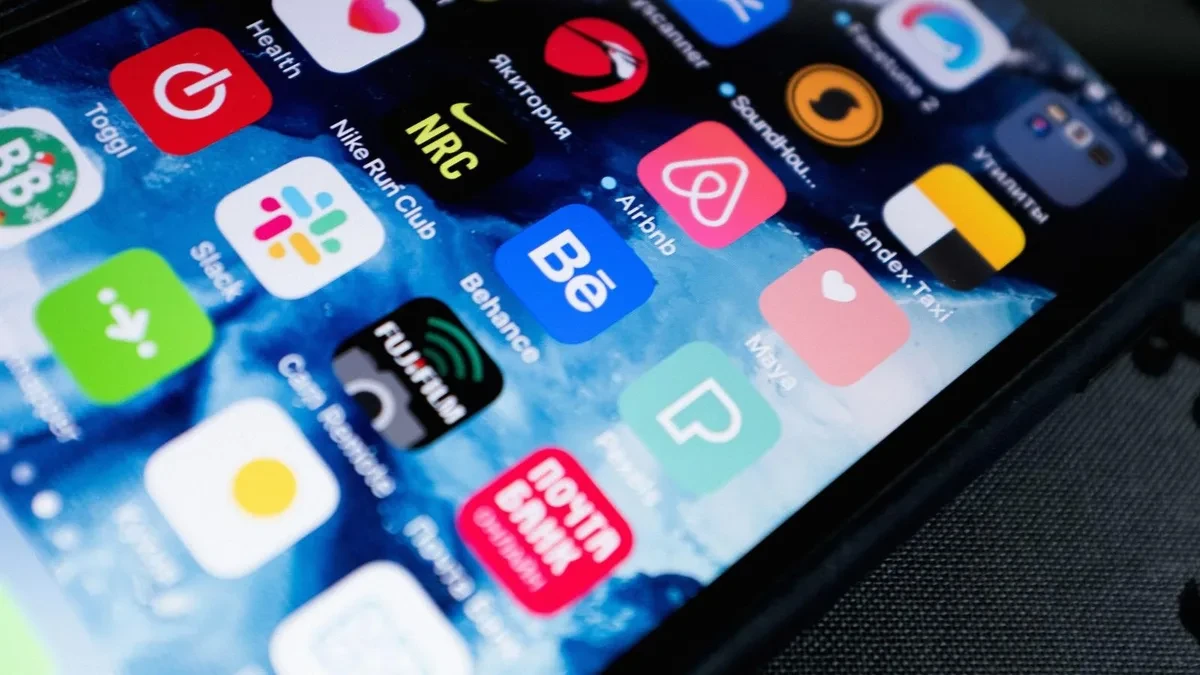
Tapping the blue 'Sign in with Google' button offers instant convenience, eliminating manual registration forms and the need to remember another password. However, a critical privacy misconception persists across mobile ecosystems: uninstalling an application from your phone does not disconnect that service from your Google account or revoke its permissions.
When you authorize a third party via Single Sign-On (SSO), Google issues an OAuth refresh token that is stored directly on the developer's remote servers rather than on your local device. Because mobile operating systems do not send an account disconnection signal upon app removal, that authentication token remains active on external servers indefinitely.
Why Inactivity Timers Fail to Clean Up Abandoned Tokens
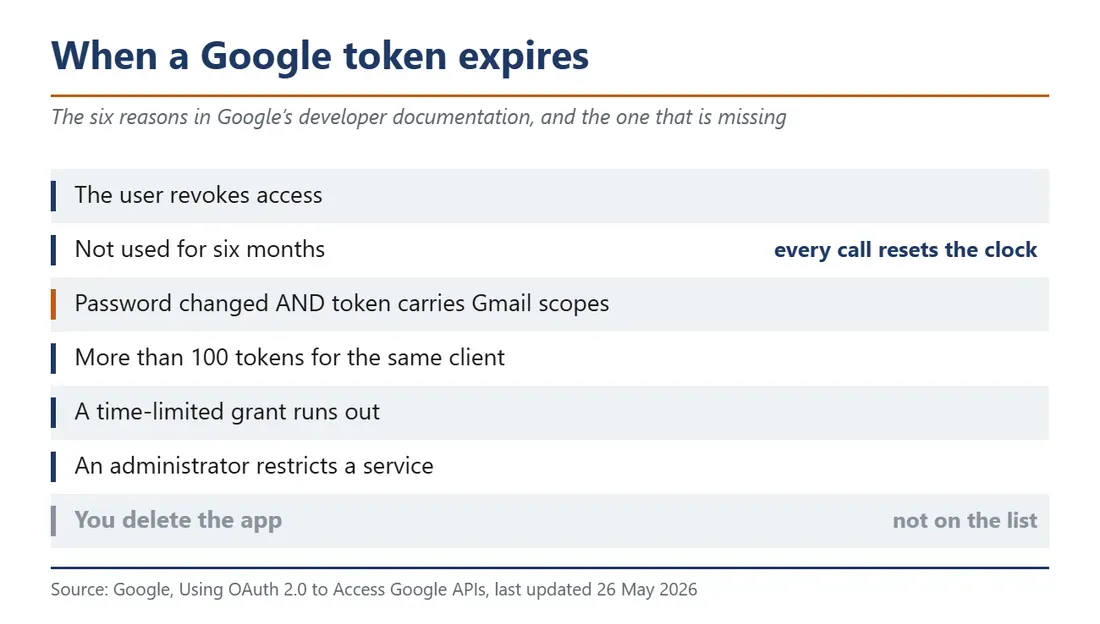
Google's developer documentation specifies clear scenarios where an OAuth refresh token expires. These include explicit manual revocation by the account owner, exceeding 100 active tokens per client, reaching preset admin restrictions, or enduring six continuous months without API use.
While a six-month expiration rule sounds reassuring, it rarely cleans up modern applications. Any background process resets the inactivity countdown to zero. If an abandoned application performs periodic background syncs, reads a calendar once a week, or refreshes contact lists, the token continuously renews itself. Unless an app becomes completely inert across all server endpoints, its access can persist indefinitely without user intervention.
Changing Your Password Only Protects Your Inbox
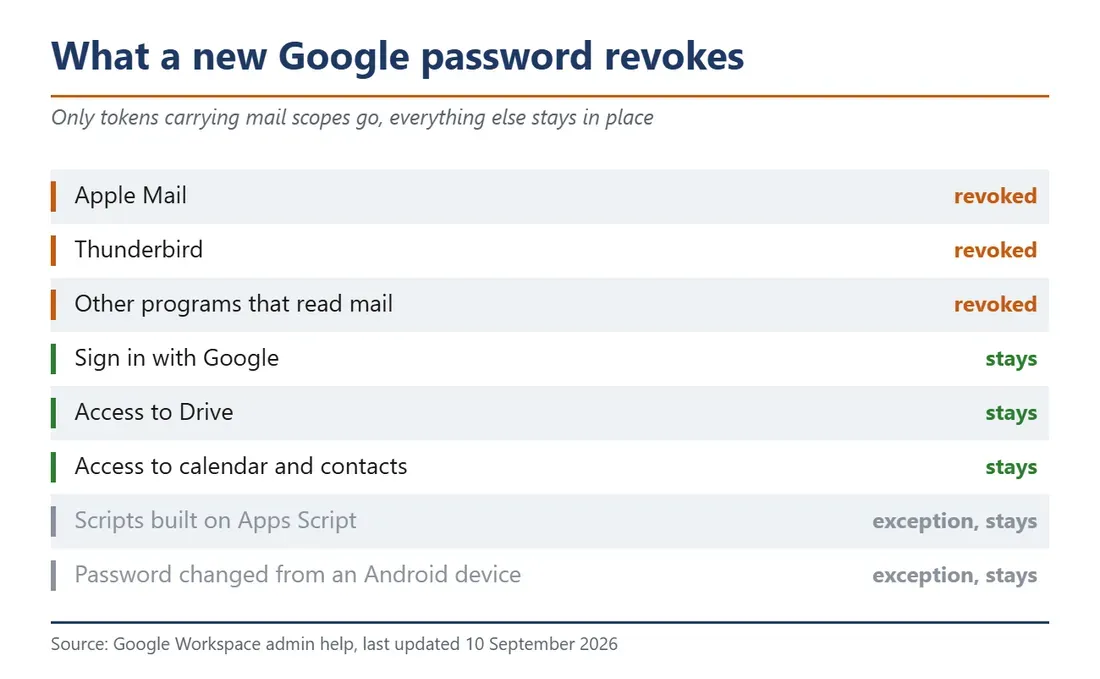
A common response when securing compromised accounts is changing the master password. For Google accounts, however, a password reset only invalidates refresh tokens that carry explicit Gmail scopes. Desktop email clients like Thunderbird or Apple Mail will stop syncing, but general third-party logins, Google Drive integrations, Calendar readers, and Contacts syncs survive password updates untouched.
Furthermore, Google documentation highlights specific exceptions even within Gmail integrations. Automated scripts built on Google Apps Script and certain established IMAP sessions can continue operating. Assuming a password reset completely purges third-party application access provides a false sense of security.
How to Manually Revoke Access Across Providers
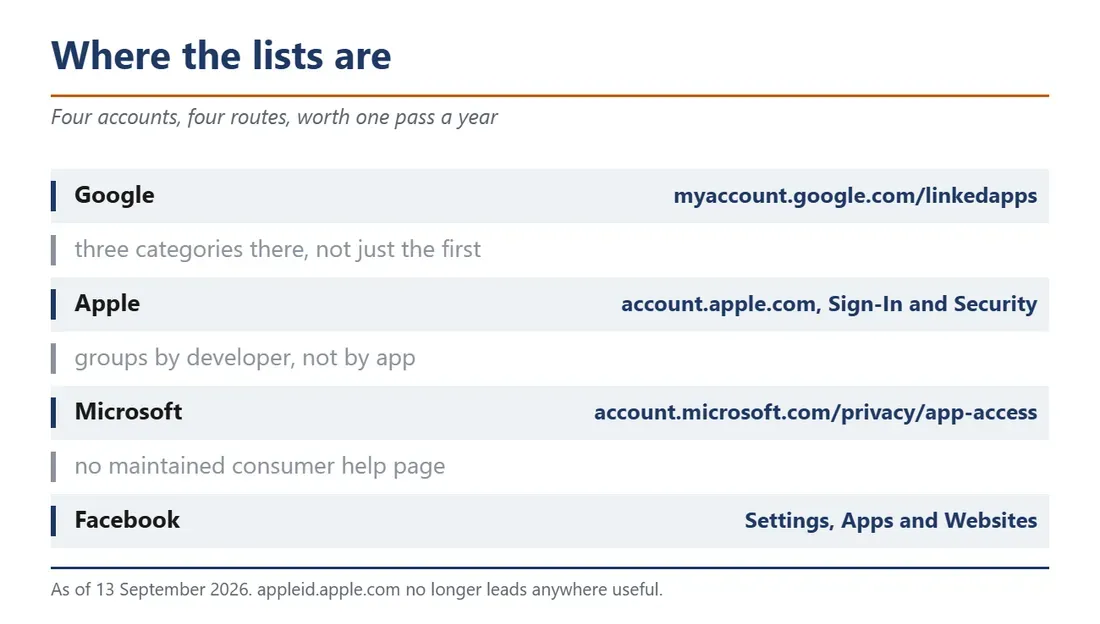
To genuinely sever connections between external services and your personal data, you must manage third-party permissions at the account level:
• Google Accounts: Visit the linked applications hub at myaccount.google.com/linkedapps. Google organizes access into three distinct categories: 'Sign in with Google' (basic authentication), 'Account Access' (apps reading Drive, Calendar, or Contacts data), and 'Linked Accounts'. Users must inspect each section individually to delete authorization.
• Apple Accounts: Navigate to account.apple.com under 'Sign-In and Security', or open Settings on iOS, tap your Apple ID profile, and select 'Sign in with Apple'. Note that Apple groups permissions by developer rather than individual apps, meaning removing access revokes it across all software from that vendor.
• Microsoft & Meta: Microsoft manages external connections via account.microsoft.com/privacy/app-access, while Meta groups connections under the 'Apps and Websites' tab in Facebook settings.
The Real Limits of Token Revocation
Revoking a token severs future communication, immediately stopping the external platform from requesting updated profile data or initiating automated sign-ins. However, Google, Apple, and Meta explicitly state in their privacy documentation that revoking access does not delete data that third-party servers have already harvested.
Information collected during active usage, such as previous activity logs, email addresses, and synced files, remains stored in the developer's private databases. Permanently wiping that historical footprint requires submitting a formal account deletion request directly to the application's service provider.