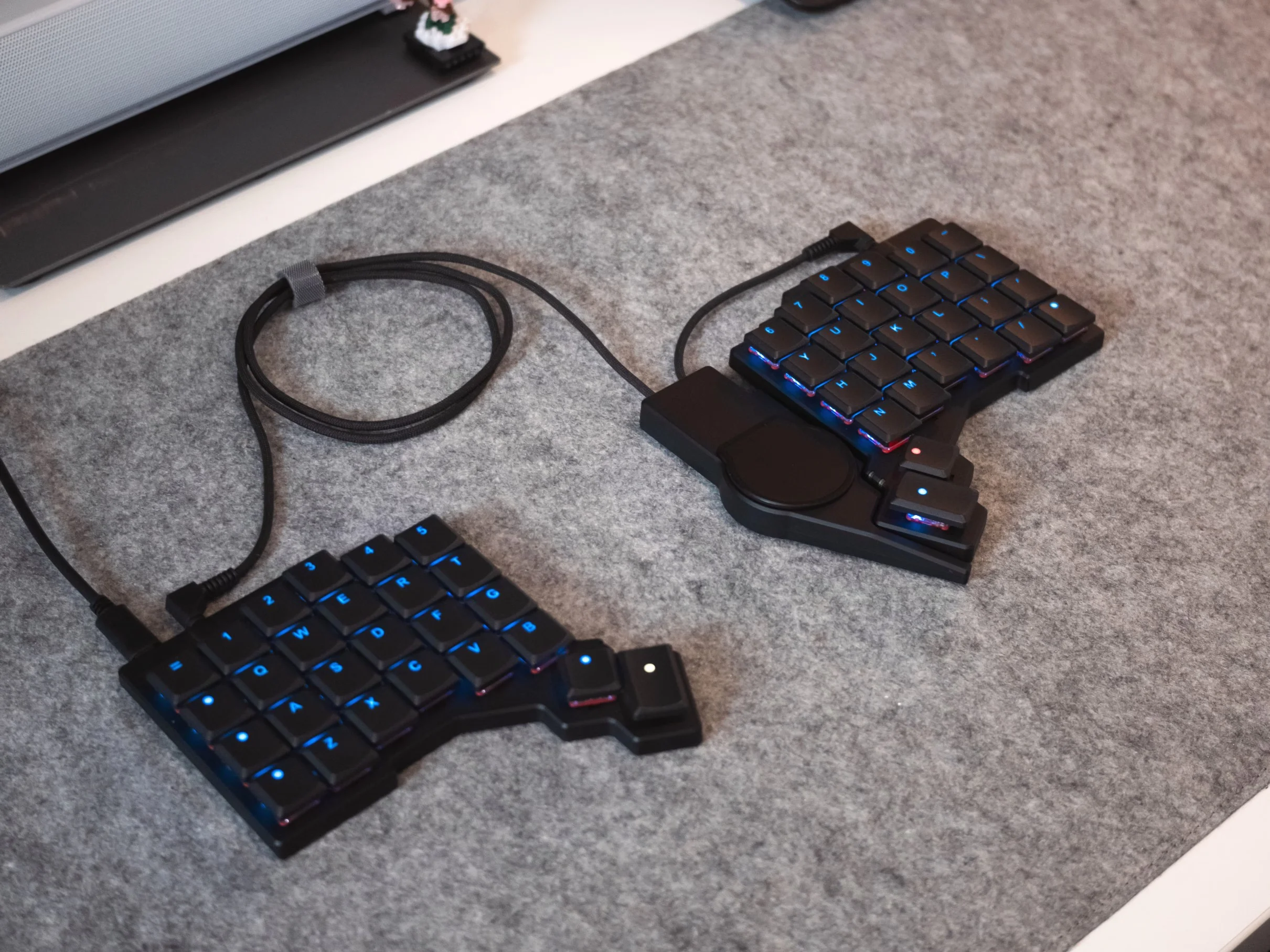
The ZSA Voyager mechanical keyboard has expanded its ergonomic options with the launch of the Navigator Trackpad accessory. Designed to complement the keyboard’s existing Navigator Trackball, this new trackpad aims to improve workflow by keeping users’ hands in place while providing versatile pointer input. The accessory’s magnetic attachment and multi-touch support make it a notable addition for fans of low-profile mechanical keyboards focused on posture and efficiency.
Magnetic Attachment for Flexible Use
The Navigator Trackpad connects magnetically to the Voyager keyboard using the same plastic shell design as the trackball version. This allows users to easily switch between or even use both accessories simultaneously. Having a pointing device on each side of the keyboard can enhance productivity by assigning different functions, such as navigating with one hand and scrolling or panning with the other. This setup could benefit professionals working in graphic design, video editing, or other tasks where quick, precise control is valuable.
Multi-Touch Support Across Multiple Operating Systems
One standout feature of the Navigator Trackpad is its support for multi-touch gestures, which are integrated at the operating system level on Windows and Linux. MacOS users can also access these gestures by running a background application. While the gestures are currently limited to two-finger swipes, this is likely sufficient given the trackpad’s compact size and intended use cases. Multi-touch gestures can speed up navigation and reduce reliance on traditional mouse input, which is especially useful for users who want to minimize hand movement during extended typing sessions. Related coverage: Keychron Unveils Retro Split Mechanical Keyboard with 8K Polling Rate.
Open-Source Software and Community Compatibility
The Navigator Trackpad differs from the trackball in that it does not offer extensive customization through ZSA’s Oryx configurator, such as remapping mouse clicks or switching layers via keyboard keys. ZSA explains this is due to the trackpad’s gesture-based control reducing the need for such features. Importantly, the trackpad retains compatibility with community-designed shells and modifications, thanks to using the same magnetic mounting system as the trackball. This openness supports a vibrant enthusiast ecosystem where users can customize mounting positions and carrying options to fit personal preferences and workflows.
What Buyers Should Consider
Priced at $99 with the magnetic attachment or $89 without, the Navigator Trackpad sits above some standalone mechanical keyboards in cost. Potential buyers should weigh the ergonomic and workflow benefits against the price, especially considering the accessory’s niche appeal to enthusiasts. The trackpad’s compatibility with both left- and right-handed configurations adds flexibility, but users should confirm compatibility with their existing Voyager or Moonlander keyboards. The inclusion of braided TRRS cables and a carrying case make it convenient for mobile users or those frequently switching setups. For more context, you may also want to read New Casio digital watch with square display launches.
Practical Impact on Daily Use
For those who spend long hours typing or working in cursor-heavy applications, the Navigator Trackpad offers an ergonomic advantage by reducing hand travel to a traditional mouse. The magnetic attachment means it can be quickly removed or repositioned, supporting varied workflows. However, the limited gesture set and lack of deep configurability might not satisfy users seeking extensive customization. Still, its multi-touch support across multiple operating systems makes it a practical tool for enhancing productivity without sacrificing the comfort of an ergonomic keyboard layout.
(Via)