

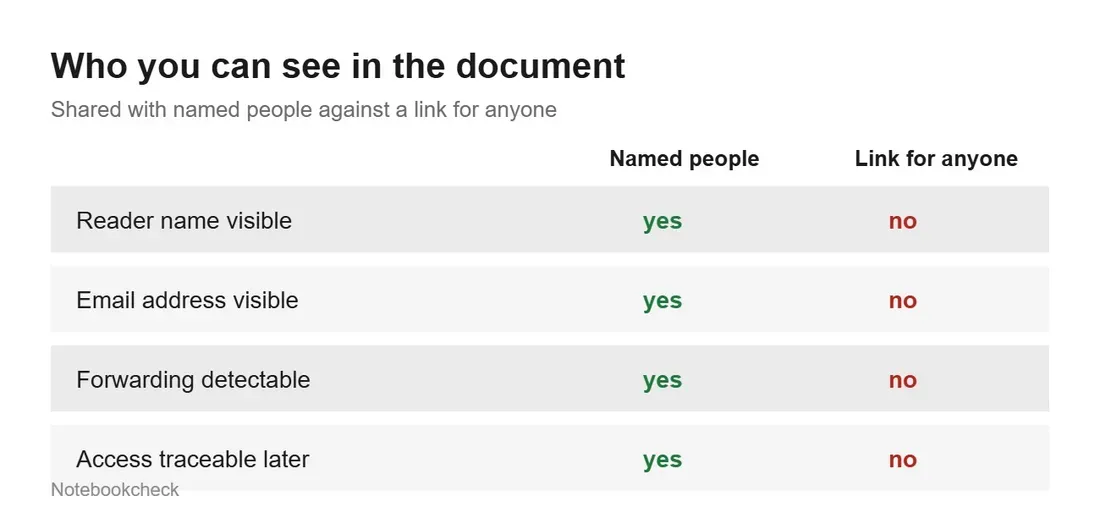
Most of us treat cloud storage as a digital attic, tossing away documents and photos with the assumption that they are tucked away safely. However, a common habit of generating quick share links for friends or colleagues has created a silent privacy vulnerability that persists long after the original task is complete. When you share a file via a 'general access' link, you are not just granting permission to one person; you are creating a permanent, public-facing address that remains active until you manually revoke it. Even worse, these links broadcast your identity, as your name and email address are visible to anyone who opens the file.
Many users mistakenly believe that deleting an email thread or removing a specific person from a file's sharing list closes the door. In reality, the link remains live and functional. Because these links operate on a 'general access' basis, they do not require the recipient to sign in to a Google, Microsoft, or Dropbox account. Consequently, the service has no way to track who is viewing your data, leaving you with no audit trail of who might still have access to your sensitive tax documents, medical records, or private photos from years ago.

Why Your Privacy Settings Are Failing You
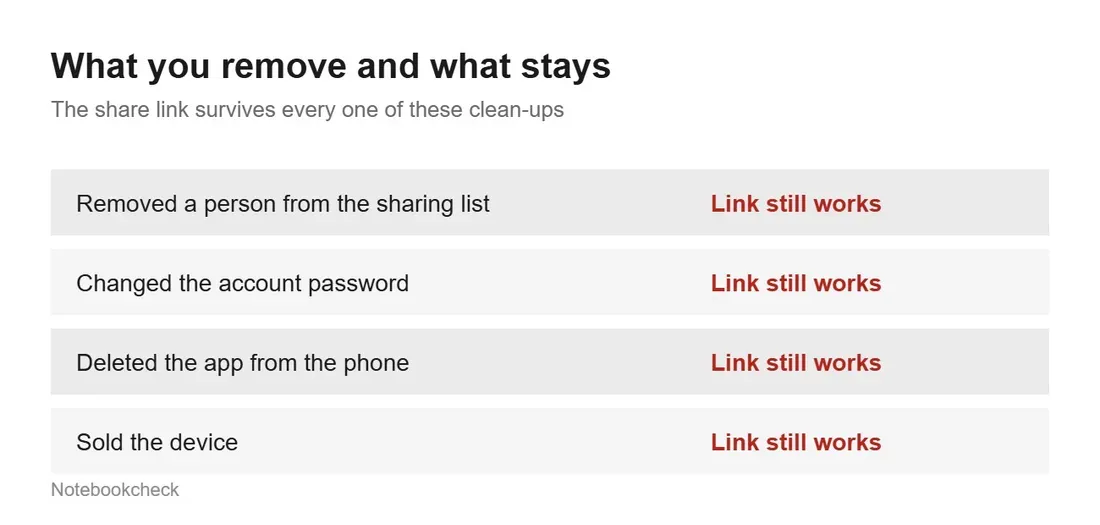
The industry standard for cloud sharing is intentionally skewed toward convenience at the expense of long-term security. Features like expiration dates or password protection, which would act as a safety net for forgotten files, are almost exclusively reserved for enterprise and business-tier subscribers. If you are using a standard consumer account for Google Drive, OneDrive, or Dropbox, you are essentially left with a manual 'on or off' switch. There is no automated way to set a timer on these links, meaning that if you forget to turn them off, they effectively remain open forever.
Furthermore, the anonymity of these links works both ways. When you share a file via a link, you cannot see who is looking at it. Instead, you might see 'anonymous animals' or generic avatars appearing in your document. This is because the system never authenticates the viewer. If the original recipient forwards that link to someone else - or if it is indexed by a search engine or saved in a browser history - the chain of access becomes impossible to track. Once a file is downloaded by an unauthorized party, that copy exists independently of your cloud permissions, and there is no 'delete' button for files already residing on someone else's hard drive.
Taking Control: A 10-Minute Audit
Because cloud providers do not provide a centralized 'shared link' dashboard for consumer accounts, you must take a proactive approach. Start by auditing your most sensitive folders - specifically those labeled 'Taxes,' 'Contracts,' 'Medical,' or 'Personal.' For every file, open the sharing settings and confirm the status of general access. If it is set to 'Anyone with the link,' change it to 'Restricted.' This immediate action kills the link for everyone, including those who may have had the URL saved or forwarded.
This audit is not a one-time chore. It is a necessary component of digital hygiene in an era where we rely heavily on third-party servers to host our lives. If you have moved on from a service or changed your primary email address, ensure that you have not left a trail of open links behind. By treating every shared link as a temporary bridge that must be dismantled as soon as the crossing is finished, you can prevent your personal contact information and private documents from floating indefinitely in the digital ether.