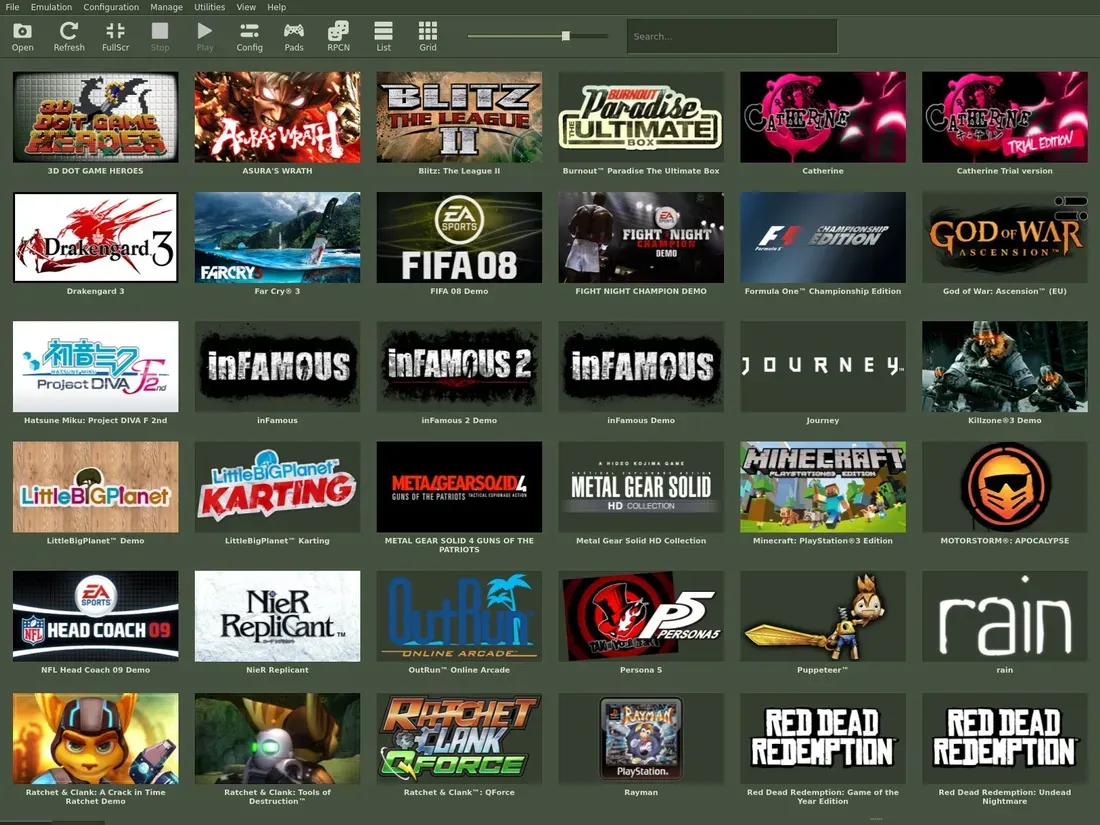
For retro gaming enthusiasts who miss the specific, clunky charm of early digital storefronts, the latest update to the RPCS3 emulator offers a trip down memory lane. The developers have officially introduced a new UI stylesheet inspired by the classic Steam interface, bringing that unmistakable army-green color palette and dense, text-heavy layout to your modern PC gaming setup.
Created by community member FlexBy, the theme serves as a visual homage to the era when digital distribution was still finding its footing. While the emulator remains a technical marvel capable of running the vast majority of the PlayStation 3 library, these UI tweaks provide a layer of personality that makes the experience feel more like a dedicated retro console than a simple software utility.
How to Access the New Retro Look
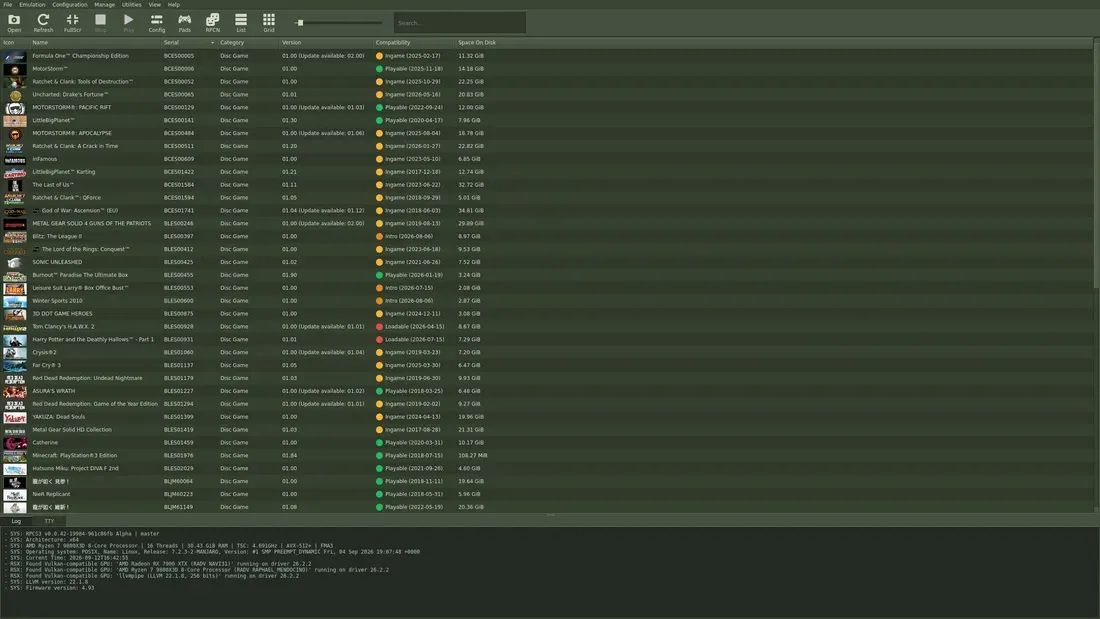
Applying the new aesthetic is straightforward for current users of the emulator. To transform your interface, launch the RPCS3 application and navigate to the Config menu. From there, select GUI and locate the UI Stylesheets option. You will find the new entry labeled Old Steam by FlexBy in the dropdown menu. Once selected, the interface will immediately refresh to match the vintage design.
If you find that the army-green aesthetic does not suit your current desktop setup, the software continues to support a variety of other community-made themes. For those feeling particularly creative, the emulator also supports custom Qt stylesheets, allowing users to modify the layout and color scheme to their exact preferences. Extensive tutorials are available across platforms like YouTube to guide users through the process of building their own unique interface skins.

The Status of the Native XMB Interface
While the new theme enhances the visual presentation, some users may wonder about the status of the native PlayStation 3 XrossMediaBar (XMB) integration. Currently, you can boot into the XMB environment to adjust system-level settings or experiment with themes, but it is not yet possible to launch games directly from that interface.
The development team has clarified that this limitation is due to the complex architecture of the PS3. Enabling game launches from within the XMB requires multi-process support, which necessitates a significant core rework of the emulator. The team confirmed that work on this feature is ongoing, though it remains a long-term goal rather than an imminent update. Until then, the emulator continues to provide a robust, reliable way to enjoy classic titles, now with a fresh coat of nostalgic paint.